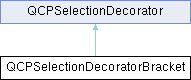
A selection decorator which draws brackets around each selected data segment. More...
Public Types | |
| enum | BracketStyle { bsSquareBracket , bsHalfEllipse , bsEllipse , bsPlus , bsUserStyle } |
| Defines which shape is drawn at the boundaries of selected data ranges. More... | |
Public Member Functions | |
| QCPSelectionDecoratorBracket () | |
| Creates a new QCPSelectionDecoratorBracket instance with default values. | |
| QPen | bracketPen () const |
| QBrush | bracketBrush () const |
| int | bracketWidth () const |
| int | bracketHeight () const |
| BracketStyle | bracketStyle () const |
| bool | tangentToData () const |
| int | tangentAverage () const |
| void | setBracketPen (const QPen &pen) |
| Sets the pen that will be used to draw the brackets at the beginning and end of each selected data segment. | |
| void | setBracketBrush (const QBrush &brush) |
| Sets the brush that will be used to draw the brackets at the beginning and end of each selected data segment. | |
| void | setBracketWidth (int width) |
| Sets the width of the drawn bracket. | |
| void | setBracketHeight (int height) |
| Sets the height of the drawn bracket. | |
| void | setBracketStyle (BracketStyle style) |
| Sets the shape that the bracket/marker will have. | |
| void | setTangentToData (bool enabled) |
| Sets whether the brackets will be rotated such that they align with the slope of the data at the position that they appear in. | |
| void | setTangentAverage (int pointCount) |
| Controls over how many data points the slope shall be averaged, when brackets shall be aligned with the data (if setTangentToData is true). | |
| virtual void | drawBracket (QCPPainter *painter, int direction) const |
| Draws the bracket shape with painter. | |
| virtual void | drawDecoration (QCPPainter *painter, QCPDataSelection selection) Q_DECL_OVERRIDE |
| Draws the bracket decoration on the data points at the begin and end of each selected data segment given in seletion. | |
 Public Member Functions inherited from QCPSelectionDecorator Public Member Functions inherited from QCPSelectionDecorator | |
| QCPSelectionDecorator () | |
| Creates a new QCPSelectionDecorator instance with default values. | |
| QPen | pen () const |
| QBrush | brush () const |
| QCPScatterStyle | scatterStyle () const |
| QCPScatterStyle::ScatterProperties | usedScatterProperties () const |
| void | setPen (const QPen &pen) |
| Sets the pen that will be used by the parent plottable to draw selected data segments. | |
| void | setBrush (const QBrush &brush) |
| Sets the brush that will be used by the parent plottable to draw selected data segments. | |
| void | setScatterStyle (const QCPScatterStyle &scatterStyle, QCPScatterStyle::ScatterProperties usedProperties=QCPScatterStyle::spPen) |
| Sets the scatter style that will be used by the parent plottable to draw scatters in selected data segments. | |
| void | setUsedScatterProperties (const QCPScatterStyle::ScatterProperties &properties) |
| Use this method to define which properties of the scatter style (set via setScatterStyle) will be used for selected data segments. | |
| void | applyPen (QCPPainter *painter) const |
| Sets the pen of painter to the pen of this selection decorator. | |
| void | applyBrush (QCPPainter *painter) const |
| Sets the brush of painter to the brush of this selection decorator. | |
| QCPScatterStyle | getFinalScatterStyle (const QCPScatterStyle &unselectedStyle) const |
| Returns the scatter style that the parent plottable shall use for selected scatter points. | |
| virtual void | copyFrom (const QCPSelectionDecorator *other) |
| Copies all properties (e.g. | |
| virtual void | drawDecoration (QCPPainter *painter, QCPDataSelection selection) |
| This method is called by all plottables' draw methods to allow custom selection decorations to be drawn. | |
Protected Member Functions | |
| double | getTangentAngle (const QCPPlottableInterface1D *interface1d, int dataIndex, int direction) const |
| QPointF | getPixelCoordinates (const QCPPlottableInterface1D *interface1d, int dataIndex) const |
| Protected Member Functions inherited from QCPSelectionDecorator | |
| virtual bool | registerWithPlottable (QCPAbstractPlottable *plottable) |
Protected Attributes | |
| QPen | mBracketPen |
| QBrush | mBracketBrush |
| int | mBracketWidth |
| int | mBracketHeight |
| BracketStyle | mBracketStyle |
| bool | mTangentToData |
| int | mTangentAverage |
| Protected Attributes inherited from QCPSelectionDecorator | |
| QPen | mPen |
| QBrush | mBrush |
| QCPScatterStyle | mScatterStyle |
| QCPScatterStyle::ScatterProperties | mUsedScatterProperties |
| QCPAbstractPlottable * | mPlottable |
Detailed Description
A selection decorator which draws brackets around each selected data segment.
Additionally to the regular highlighting of selected segments via color, fill and scatter style, this QCPSelectionDecorator subclass draws markers at the begin and end of each selected data segment of the plottable.
The shape of the markers can be controlled with setBracketStyle, setBracketWidth and setBracketHeight. The color/fill can be controlled with setBracketPen and setBracketBrush.
To introduce custom bracket styles, it is only necessary to sublcass QCPSelectionDecoratorBracket and reimplement drawBracket. The rest will be managed by the base class.
Member Enumeration Documentation
◆ BracketStyle
Defines which shape is drawn at the boundaries of selected data ranges.
Some of the bracket styles further allow specifying a height and/or width, see setBracketHeight and setBracketWidth.
| Enumerator | |
|---|---|
| bsSquareBracket | A square bracket is drawn. |
| bsHalfEllipse | A half ellipse is drawn. The size of the ellipse is given by the bracket width/height properties. |
| bsEllipse | An ellipse is drawn. The size of the ellipse is given by the bracket width/height properties. |
| bsPlus | A plus is drawn. |
| bsUserStyle | Start custom bracket styles at this index when subclassing and reimplementing drawBracket. |
Member Function Documentation
◆ drawBracket()
|
virtual |
Draws the bracket shape with painter.
The parameter direction is either -1 or 1 and indicates whether the bracket shall point to the left or the right (i.e. is a closing or opening bracket, respectively).
The passed painter already contains all transformations that are necessary to position and rotate the bracket appropriately. Painting operations can be performed as if drawing upright brackets on flat data with horizontal key axis, with (0, 0) being the center of the bracket.
If you wish to sublcass QCPSelectionDecoratorBracket in order to provide custom bracket shapes (see QCPSelectionDecoratorBracket::bsUserStyle), this is the method you should reimplement.
◆ drawDecoration()
|
virtual |
Draws the bracket decoration on the data points at the begin and end of each selected data segment given in seletion.
It uses the method drawBracket to actually draw the shapes.
\seebaseclassmethod
Reimplemented from QCPSelectionDecorator.
◆ setBracketHeight()
| void QCPSelectionDecoratorBracket::setBracketHeight | ( | int | height | ) |
Sets the height of the drawn bracket.
The height dimension is always perpendicular to the key axis of the data, or the tangent direction of the current data slope, if setTangentToData is enabled.
◆ setBracketStyle()
| void QCPSelectionDecoratorBracket::setBracketStyle | ( | QCPSelectionDecoratorBracket::BracketStyle | style | ) |
Sets the shape that the bracket/marker will have.
- See also
- setBracketWidth, setBracketHeight
◆ setBracketWidth()
| void QCPSelectionDecoratorBracket::setBracketWidth | ( | int | width | ) |
Sets the width of the drawn bracket.
The width dimension is always parallel to the key axis of the data, or the tangent direction of the current data slope, if setTangentToData is enabled.
◆ setTangentAverage()
| void QCPSelectionDecoratorBracket::setTangentAverage | ( | int | pointCount | ) |
Controls over how many data points the slope shall be averaged, when brackets shall be aligned with the data (if setTangentToData is true).
From the position of the bracket, pointCount points towards the selected data range will be taken into account. The smallest value of pointCount is 1, which is effectively equivalent to disabling setTangentToData.
◆ setTangentToData()
| void QCPSelectionDecoratorBracket::setTangentToData | ( | bool | enabled | ) |
Sets whether the brackets will be rotated such that they align with the slope of the data at the position that they appear in.
For noisy data, it might be more visually appealing to average the slope over multiple data points. This can be configured via setTangentAverage.
The documentation for this class was generated from the following files:
- qcustomplot.h
- qcustomplot.cpp
