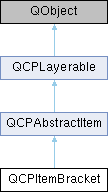
A bracket for referencing/highlighting certain parts in the plot. More...
Public Types | |
| enum | BracketStyle { bsSquare , bsRound , bsCurly , bsCalligraphic } |
| Defines the various visual shapes of the bracket item. More... | |
Public Member Functions | |
| QCPItemBracket (QCustomPlot *parentPlot) | |
| Creates a bracket item and sets default values. | |
| QPen | pen () const |
| QPen | selectedPen () const |
| double | length () const |
| BracketStyle | style () const |
| void | setPen (const QPen &pen) |
| Sets the pen that will be used to draw the bracket. | |
| void | setSelectedPen (const QPen &pen) |
| Sets the pen that will be used to draw the bracket when selected. | |
| void | setLength (double length) |
| Sets the length in pixels how far the bracket extends in the direction towards the embraced span of the bracket (i.e. | |
| void | setStyle (BracketStyle style) |
| Sets the style of the bracket, i.e. | |
| virtual double | selectTest (const QPointF &pos, bool onlySelectable, QVariant *details=0) const Q_DECL_OVERRIDE |
| This function is used to decide whether a click hits a layerable object or not. | |
 Public Member Functions inherited from QCPAbstractItem Public Member Functions inherited from QCPAbstractItem | |
| QCPAbstractItem (QCustomPlot *parentPlot) | |
| Base class constructor which initializes base class members. | |
| bool | clipToAxisRect () const |
| QCPAxisRect * | clipAxisRect () const |
| bool | selectable () const |
| bool | selected () const |
| void | setClipToAxisRect (bool clip) |
| Sets whether the item shall be clipped to an axis rect or whether it shall be visible on the entire QCustomPlot. | |
| void | setClipAxisRect (QCPAxisRect *rect) |
| Sets the clip axis rect. | |
| Q_SLOT void | setSelectable (bool selectable) |
| Sets whether the user can (de-)select this item by clicking on the QCustomPlot surface. | |
| Q_SLOT void | setSelected (bool selected) |
| Sets whether this item is selected or not. | |
| virtual double | selectTest (const QPointF &pos, bool onlySelectable, QVariant *details=0) const Q_DECL_OVERRIDE=0 |
| This function is used to decide whether a click hits a layerable object or not. | |
| QList< QCPItemPosition * > | positions () const |
| Returns all positions of the item in a list. | |
| QList< QCPItemAnchor * > | anchors () const |
| Returns all anchors of the item in a list. | |
| QCPItemPosition * | position (const QString &name) const |
| Returns the QCPItemPosition with the specified name. | |
| QCPItemAnchor * | anchor (const QString &name) const |
| Returns the QCPItemAnchor with the specified name. | |
| bool | hasAnchor (const QString &name) const |
| Returns whether this item has an anchor with the specified name. | |
| Public Member Functions inherited from QCPLayerable | |
| QCPLayerable (QCustomPlot *plot, QString targetLayer=QString(), QCPLayerable *parentLayerable=0) | |
| Creates a new QCPLayerable instance. | |
| bool | visible () const |
| QCustomPlot * | parentPlot () const |
| QCPLayerable * | parentLayerable () const |
| Returns the parent layerable of this layerable. | |
| QCPLayer * | layer () const |
| bool | antialiased () const |
| void | setVisible (bool on) |
| Sets the visibility of this layerable object. | |
| Q_SLOT bool | setLayer (QCPLayer *layer) |
| Sets the layer of this layerable object. | |
| bool | setLayer (const QString &layerName) |
| This is an overloaded member function, provided for convenience. It differs from the above function only in what argument(s) it accepts. Sets the layer of this layerable object by name. | |
| void | setAntialiased (bool enabled) |
| Sets whether this object will be drawn antialiased or not. | |
| virtual double | selectTest (const QPointF &pos, bool onlySelectable, QVariant *details=0) const |
| This function is used to decide whether a click hits a layerable object or not. | |
| bool | realVisibility () const |
| Returns whether this layerable is visible, taking the visibility of the layerable parent and the visibility of this layerable's layer into account. | |
Data Fields | |
| QCPItemPosition *const | left |
| QCPItemPosition *const | right |
| QCPItemAnchor *const | center |
Protected Types | |
| enum | AnchorIndex { aiCenter } |
Protected Member Functions | |
| virtual void | draw (QCPPainter *painter) Q_DECL_OVERRIDE |
| virtual QPointF | anchorPixelPosition (int anchorId) const Q_DECL_OVERRIDE |
| QPen | mainPen () const |
| Protected Member Functions inherited from QCPAbstractItem | |
| virtual QCP::Interaction | selectionCategory () const Q_DECL_OVERRIDE |
| virtual QRect | clipRect () const Q_DECL_OVERRIDE |
| virtual void | applyDefaultAntialiasingHint (QCPPainter *painter) const Q_DECL_OVERRIDE |
| virtual void | draw (QCPPainter *painter) Q_DECL_OVERRIDE=0 |
| virtual void | selectEvent (QMouseEvent *event, bool additive, const QVariant &details, bool *selectionStateChanged) Q_DECL_OVERRIDE |
| virtual void | deselectEvent (bool *selectionStateChanged) Q_DECL_OVERRIDE |
| virtual QPointF | anchorPixelPosition (int anchorId) const |
| double | rectDistance (const QRectF &rect, const QPointF &pos, bool filledRect) const |
| QCPItemPosition * | createPosition (const QString &name) |
| QCPItemAnchor * | createAnchor (const QString &name, int anchorId) |
| Protected Member Functions inherited from QCPLayerable | |
| virtual void | parentPlotInitialized (QCustomPlot *parentPlot) |
| virtual QCP::Interaction | selectionCategory () const |
| virtual QRect | clipRect () const |
| virtual void | applyDefaultAntialiasingHint (QCPPainter *painter) const =0 |
| virtual void | draw (QCPPainter *painter)=0 |
| virtual void | selectEvent (QMouseEvent *event, bool additive, const QVariant &details, bool *selectionStateChanged) |
| virtual void | deselectEvent (bool *selectionStateChanged) |
| virtual void | mousePressEvent (QMouseEvent *event, const QVariant &details) |
| This event gets called when the user presses a mouse button while the cursor is over the layerable. | |
| virtual void | mouseMoveEvent (QMouseEvent *event, const QPointF &startPos) |
| This event gets called when the user moves the mouse while holding a mouse button, after this layerable has become the mouse grabber by accepting the preceding mousePressEvent. | |
| virtual void | mouseReleaseEvent (QMouseEvent *event, const QPointF &startPos) |
| This event gets called when the user releases the mouse button, after this layerable has become the mouse grabber by accepting the preceding mousePressEvent. | |
| virtual void | mouseDoubleClickEvent (QMouseEvent *event, const QVariant &details) |
| This event gets called when the user presses the mouse button a second time in a double-click, while the cursor is over the layerable. | |
| virtual void | wheelEvent (QWheelEvent *event) |
| This event gets called when the user turns the mouse scroll wheel while the cursor is over the layerable. | |
| void | initializeParentPlot (QCustomPlot *parentPlot) |
| void | setParentLayerable (QCPLayerable *parentLayerable) |
| bool | moveToLayer (QCPLayer *layer, bool prepend) |
| void | applyAntialiasingHint (QCPPainter *painter, bool localAntialiased, QCP::AntialiasedElement overrideElement) const |
Protected Attributes | |
| QPen | mPen |
| QPen | mSelectedPen |
| double | mLength |
| BracketStyle | mStyle |
| Protected Attributes inherited from QCPAbstractItem | |
| bool | mClipToAxisRect |
| QPointer< QCPAxisRect > | mClipAxisRect |
| QList< QCPItemPosition * > | mPositions |
| QList< QCPItemAnchor * > | mAnchors |
| bool | mSelectable |
| bool | mSelected |
| Protected Attributes inherited from QCPLayerable | |
| bool | mVisible |
| QCustomPlot * | mParentPlot |
| QPointer< QCPLayerable > | mParentLayerable |
| QCPLayer * | mLayer |
| bool | mAntialiased |
Additional Inherited Members | |
| Signals inherited from QCPAbstractItem | |
| void | selectionChanged (bool selected) |
| This signal is emitted when the selection state of this item has changed, either by user interaction or by a direct call to setSelected. | |
| void | selectableChanged (bool selectable) |
| Signals inherited from QCPLayerable | |
| void | layerChanged (QCPLayer *newLayer) |
| This signal is emitted when the layer of this layerable changes, i.e. | |
Detailed Description
A bracket for referencing/highlighting certain parts in the plot.

It has two positions, left and right, which define the span of the bracket. If left is actually farther to the left than right, the bracket is opened to the bottom, as shown in the example image.
The bracket supports multiple styles via setStyle. The length, i.e. how far the bracket stretches away from the embraced span, can be controlled with setLength.

It provides an anchor center, to allow connection of other items, e.g. an arrow (QCPItemLine or QCPItemCurve) or a text label (QCPItemText), to the bracket.
Member Enumeration Documentation
◆ BracketStyle
Defines the various visual shapes of the bracket item.
The appearance can be further modified by setLength and setPen.
- See also
- setStyle
| Enumerator | |
|---|---|
| bsSquare | A brace with angled edges. |
| bsRound | A brace with round edges. |
| bsCurly | A curly brace. |
| bsCalligraphic | A curly brace with varying stroke width giving a calligraphic impression. |
Constructor & Destructor Documentation
◆ QCPItemBracket()
|
explicit |
Creates a bracket item and sets default values.
The created item is automatically registered with parentPlot. This QCustomPlot instance takes ownership of the item, so do not delete it manually but use QCustomPlot::removeItem() instead.
Member Function Documentation
◆ anchorPixelPosition()
|
protectedvirtual |
Reimplemented from QCPAbstractItem.
◆ draw()
|
protectedvirtual |
Implements QCPAbstractItem.
◆ selectTest()
|
virtual |
This function is used to decide whether a click hits a layerable object or not.
pos is a point in pixel coordinates on the QCustomPlot surface. This function returns the shortest pixel distance of this point to the object. If the object is either invisible or the distance couldn't be determined, -1.0 is returned. Further, if onlySelectable is true and the object is not selectable, -1.0 is returned, too.
If the object is represented not by single lines but by an area like a QCPItemText or the bars of a QCPBars plottable, a click inside the area should also be considered a hit. In these cases this function thus returns a constant value greater zero but still below the parent plot's selection tolerance. (typically the selectionTolerance multiplied by 0.99).
Providing a constant value for area objects allows selecting line objects even when they are obscured by such area objects, by clicking close to the lines (i.e. closer than 0.99*selectionTolerance).
The actual setting of the selection state is not done by this function. This is handled by the parent QCustomPlot when the mouseReleaseEvent occurs, and the finally selected object is notified via the selectEvent/ deselectEvent methods.
details is an optional output parameter. Every layerable subclass may place any information in details. This information will be passed to selectEvent when the parent QCustomPlot decides on the basis of this selectTest call, that the object was successfully selected. The subsequent call to selectEvent will carry the details. This is useful for multi-part objects (like QCPAxis). This way, a possibly complex calculation to decide which part was clicked is only done once in selectTest. The result (i.e. the actually clicked part) can then be placed in details. So in the subsequent selectEvent, the decision which part was selected doesn't have to be done a second time for a single selection operation.
You may pass 0 as details to indicate that you are not interested in those selection details.
- See also
- selectEvent, deselectEvent, mousePressEvent, wheelEvent, QCustomPlot::setInteractions
Implements QCPAbstractItem.
◆ setLength()
| void QCPItemBracket::setLength | ( | double | length | ) |
Sets the length in pixels how far the bracket extends in the direction towards the embraced span of the bracket (i.e.
perpendicular to the left-right-direction)
◆ setPen()
| void QCPItemBracket::setPen | ( | const QPen & | pen | ) |
Sets the pen that will be used to draw the bracket.
Note that when the style is bsCalligraphic, only the color will be taken from the pen, the stroke and width are ignored. To change the apparent stroke width of a calligraphic bracket, use setLength, which has a similar effect.
- See also
- setSelectedPen
◆ setSelectedPen()
| void QCPItemBracket::setSelectedPen | ( | const QPen & | pen | ) |
Sets the pen that will be used to draw the bracket when selected.
- See also
- setPen, setSelected
◆ setStyle()
| void QCPItemBracket::setStyle | ( | QCPItemBracket::BracketStyle | style | ) |
The documentation for this class was generated from the following files:
- qcustomplot.h
- qcustomplot.cpp
